
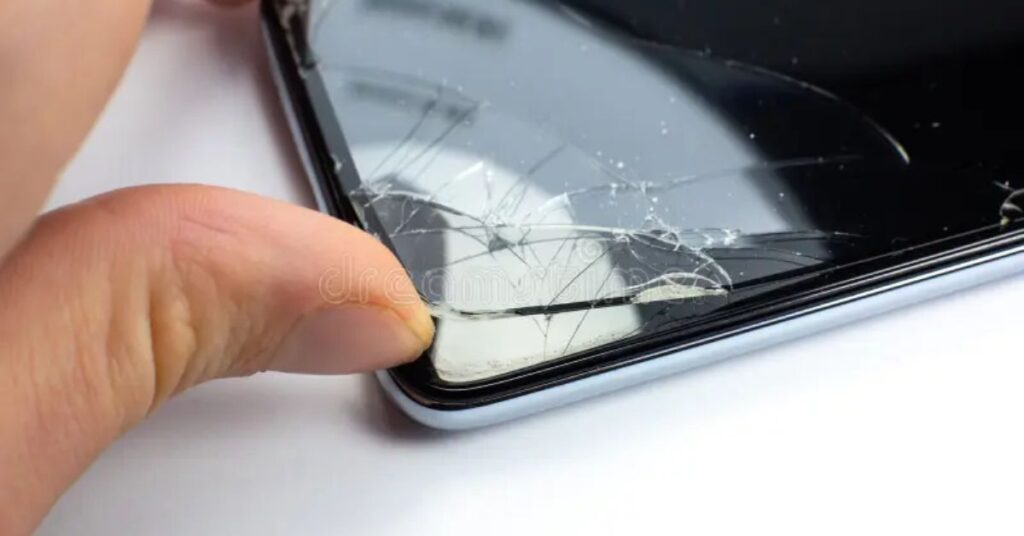
When you pull your smartphone out of your pocket and notice a crack across the display, your heart skips a beat. The first thought that crosses your mind is, “Did I just break my screen?” However, not every crack means disaster. Many times, it’s only your cracked screen protector doing its job by taking the hit for your real screen. Knowing the difference between a cracked screen vs cracked screen protector can save you hundreds of dollars in unnecessary repair costs and a lot of stress.
This guide will walk you through how to check if your cracked glass on phone is only a tempered glass protector issue or actual phone display damage, what to do next, and how to prevent such accidents in the future. It’s written in simple, easy English and includes expert advice from mobile screen repair service professionals in the USA.
How to Tell If Your Phone Has a Cracked Screen or Just a Cracked Screen Protector
Before panicking, take a few minutes to carefully inspect your phone. Distinguishing between a cracked screen protector and a cracked phone screen can help you decide the next steps. Here’s how you can tell.
1. Check for Raised Edges
One of the easiest ways to identify a cracked screen protector is by feeling for raised edges around the display. When a protector cracks, it often peels slightly away from the glass surface, leaving a small ridge that you can feel with your fingers. In contrast, a real cracked screen lies perfectly flat because it’s part of the display itself. If the edges seem lifted or uneven, it’s likely just your screen protector peeling, not your actual phone screen.
2. Run a Fingernail Over the Crack
When figuring out the difference between a Cracked Screen vs Cracked Screen Protector, a simple yet effective way is to run your fingernail gently over the crack. A simple screen protector test is to gently run your fingernail across the line of the crack. If your nail catches on it or the crack feels superficial, it’s likely the protector. A broken phone display, however, will feel smooth yet reveal deeper internal fractures beneath the surface. Be cautious not to apply pressure, especially if there are glass splinters from protector fragments. This quick check helps you avoid further phone display damage while identifying whether the issue lies in the screen protector or the screen itself.
3. Turn Off the Screen and Inspect the Crack
When you turn off the screen and inspect the crack under a bright light or flashlight, observe how the crack behaves. If the line seems to fade or vanish when the screen is dark, you’re probably looking at a damaged tempered glass protector. If it remains clearly visible or shows signs of display discoloration or screen bleeding, it could mean LCD or OLED damage, which requires professional phone repair near me services.
4. Check for Display Issues
A cracked screen often comes with functional problems. Look for touchscreen not responding, dead pixels on screen, or uneven brightness across the display. These are sure signs of phone display damage rather than just a screen protector issue. When smartphone screen issues start affecting performance, the internal components might already be compromised.
5. Peel Off the Screen Protector
If you’re still unsure, gently peel off the screen protector using safety tips like lifting from the corner with a soft card instead of metal tools. Once removed, inspect the surface underneath. If the real display is flawless, you’re in luck—it was just the protector. However, if you still see hairline cracks on phone, your display glass may need phone screen repair.
| Indicator | Cracked Screen Protector | Cracked Screen |
| Texture | Rough, raised edges | Smooth, flat surface |
| Crack Visibility | Disappears when screen off | Visible even when off |
| Touch Sensitivity | Works normally | Unresponsive or glitchy |
| Color Accuracy | Normal | Distorted or discolored |
| Cost to Fix | $10–$30 | $100–$400+ |
What to Do If You Have a Cracked Screen Protector
A cracked screen protector is much better than a cracked screen, but you shouldn’t ignore it. Once cracked, a tempered glass protector loses its strength and can no longer absorb shocks effectively. It also allows dust or moisture to creep in, which might harm your screen over time.
Replace It Immediately
When comparing a Cracked Screen vs Cracked Screen Protector, the first thing to remember is that a damaged protector should never be ignored. If your protector is damaged, replace it immediately. A screen protector replacement costs very little compared to a phone screen replacement, and it restores protection instantly. Continuing to use a broken protector may result in scratches, dust buildup, or micro-cracks on your phone’s glass. Taking quick action keeps your phone display damage minimal and helps maintain your device’s touchscreen responsiveness and overall clarity.
Look for Signs of Additional Damage
After removing the protector, look for signs of additional damage such as cracks near the corners, bent frames, or uneven light spots. These small indicators often suggest that your phone took a stronger impact than it appeared. If you notice any issues, contact a mobile repair technician or fast phone repair services nearby.
Choose the Right Replacement
When choosing a new screen protector, don’t compromise on quality. The right type will determine how well your phone withstands future drops.
Tempered Glass Screen Protector (Recommended) options offer better impact resistance, smoother touch response, and fingerprint resistance. They can handle most daily impacts and prevent screen cracks under screen protector scenarios.
Plastic Film Screen Protector (Budget Option) versions are lightweight and affordable but provide minimal protection. They help with scratches but not with serious drops.
Here’s a quick comparison:
| Protector Type | Protection Level | Durability | Average Cost |
| Tempered Glass | High | Long-lasting | $10–$25 |
| Plastic Film | Low | Short-term | $5–$10 |
What to Do If Your Phone Screen Is Cracked
Unfortunately, if the actual phone display cracks, the repair process becomes more serious. The good news is that it’s fixable with the right help.
Assess the Severity of the Crack
When dealing with a Cracked Screen vs Cracked Screen Protector issue, it’s important to assess the severity of the crack before taking action. Not all cracks are equal. Small hairline cracks on phone screens can sometimes be managed temporarily, especially if your touchscreen and display are still working fine. However, deeper fractures that cause display discoloration or touchscreen problems need professional repair as soon as possible. Using your phone in this condition can make the damage spread, potentially leading to LCD or OLED damage and even complete phone display failure. Early inspection helps you avoid costly phone screen repair later on.
Backup Your Data
Before taking your device for repair, backup your data. Backup data before repair ensures you won’t lose photos, contacts, or documents during service. Many users forget this step, and it becomes a costly mistake if the phone fails completely after a repair attempt.
Avoid Using the Phone If Glass Is Loose
If your phone’s glass is loose, stop using it immediately. Loose shards can injure your fingers or worsen the cracks. Place it in a soft case and take it to a mobile screen repair service or professional phone repair near me for safe handling.
Get Professional Repair
Avoid DIY fixes like toothpaste or glue—they rarely work and can cause LCD or OLED damage. Instead, reach out to an authorized repair shop. Certified technicians use OEM-grade replacement screens that match your original display’s clarity and responsiveness. Look for stores offering lifetime warranty repair for added peace of mind.
How to Prevent Cracks in the Future
Prevention is far cheaper than any phone repair cost. Taking simple precautions can keep your screen looking brand new for years.
Use a High-Quality Screen Protector
A high-quality screen protector acts like armor for your device. Choose tempered glass protectors that offer cost-effective screen protection while maintaining touch accuracy and clarity. Replace them at the first sign of wear.
Invest in a Shockproof Phone Case
A shockproof phone case or even a military-grade phone case significantly reduces the risk of cracks from falls. Look for cases with reinforced corners and raised bezels that keep the screen from hitting the ground directly.
Be Mindful of Where You Place Your Phone
After understanding the difference between a Cracked Screen vs Cracked Screen Protector, prevention becomes the next step. The best protection always starts with mindful habits. Avoid setting your phone on unstable surfaces or putting it in the same pocket as keys or coins. Small actions like these might seem insignificant, but over time, they make a big difference. Such careful handling can prevent cracked phone screens and improve smartphone handling safety. Pairing these habits with a high-quality screen protector and a shockproof phone case ensures maximum defense against accidental drops or scratches.
Why Choose Pull Up Phone Repair for Screen Repairs?
If you’re located in the USA, especially around New Jersey, New York, Philadelphia, or Maryland, Pull Up Phone Repair is your go-to solution for all smartphone screen issues. They provide mobile repair at your location, saving you time and travel hassle.
Fast and Affordable On-Demand Repairs
The team offers same-day repairs at competitive prices, making them a leader in fast phone repair services. Whether it’s a cracked screen, broken phone display, or phone screen replacement, they fix it quickly without cutting corners.
High-Quality Replacement Screens
All parts are sourced from OEM-grade replacement screens, ensuring your phone looks and performs as it did when new. Their technicians are trained to handle both LCD and OLED models.
Limited Lifetime Warranty
Each repair is backed by a limited lifetime warranty, which covers defects in parts or workmanship. It’s their way of guaranteeing long-term satisfaction and trust.
Serving New Jersey, New York, Philadelphia, and Maryland
With coverage across these regions, Pull Up Phone Repair offers doorstep convenience and reliability. They’ve become a trusted name in New York and New Jersey phone repair, Baltimore phone repair service, and other nearby areas
Identify and Fix Your Cracked Screen or Screen Protector Today
Don’t wait for a small crack to turn into a major issue. Whether it’s a cracked screen protector or a cracked screen, quick action can prevent further screen display damage. Visit your nearest mobile repair technician or contact Pull Up Phone Repair online for a free quote and same-day service.
May Also Read: 8 Legit Ways to Block Ads in the YouTube App 2025
Conclusion
A Cracked Screen vs Cracked Screen Protector: How to Tell and What to Do situation doesn’t always mean disaster. By learning how to check if screen is cracked or protector, you can avoid unnecessary expenses and take the right steps toward repair. Always remember to protect your phone with a tempered glass protector, keep your data safe, and rely on trusted professionals like Pull Up Phone Repair when damage occurs.

Jake Miller is a mobile troubleshooting specialist with 7+ years of experience solving Android and app-related issues. He tests every fix on real devices to ensure accuracy and reliability. Jake creates simple, step-by-step guides to help users quickly resolve everyday smartphone problems.

![How to Use Canva to Create a Banner Like a Pro [2025 Guide]](https://mobzmania.com/wp-content/uploads/2025/10/how-to-use-canva-to-create-a-banner-150x150.jpg)